Optional modules (Advanced Plug-Ins) that make Kepware Server even more powerful:
Which option for which need?
| Need | Option |
|---|---|
| Publishing data to the cloud or an enterprise platform over MQTT, Sparkplug B or REST | IoT Gateway |
| Creating calculated, derived data from raw sensor values | Advanced Tags |
| Logging data to a SQL, Oracle, MySQL or ODBC-compatible database | DataLogger |
IoT Gateway
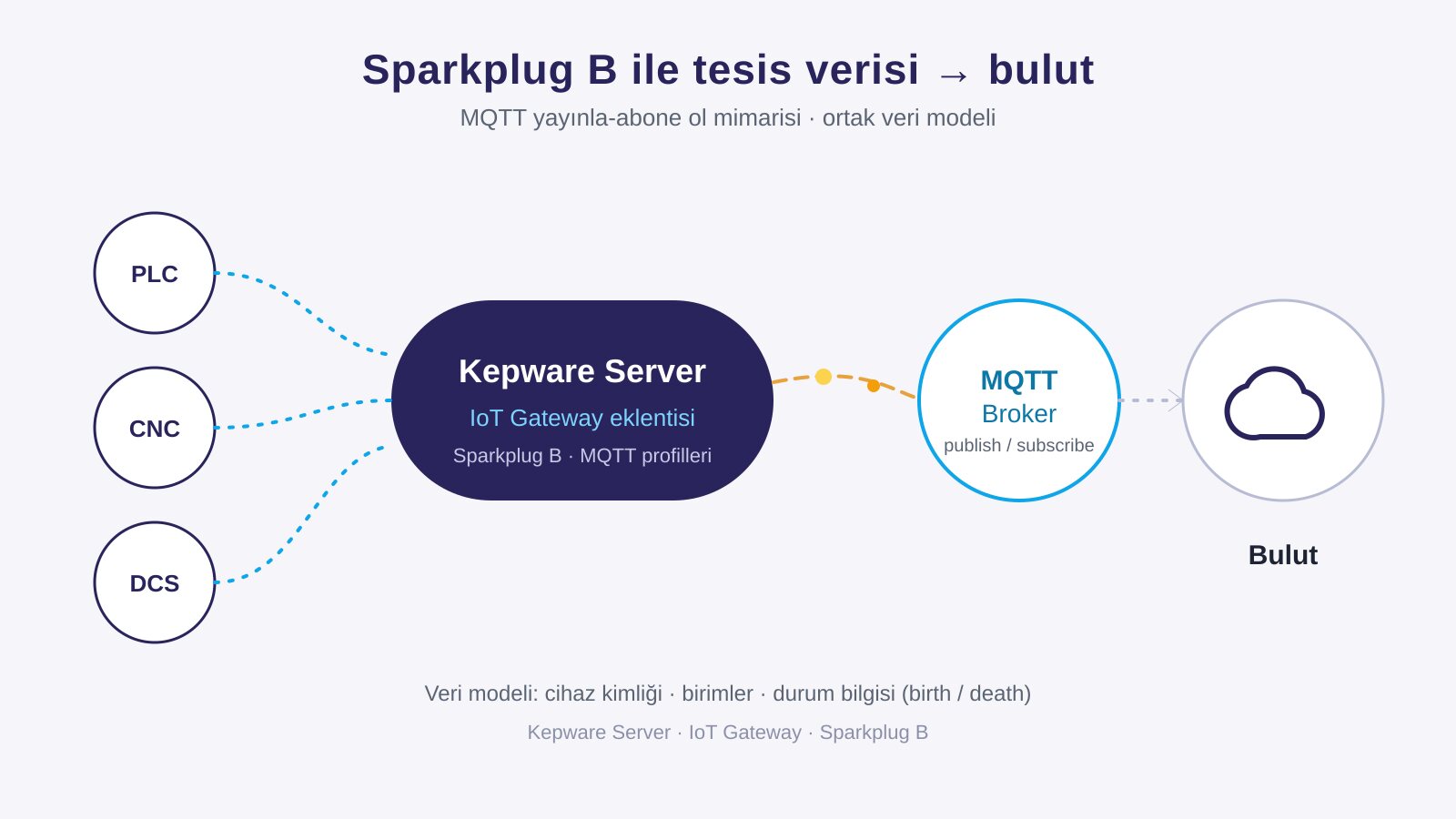
Introduce your company to the Industrial Internet of Things (IIoT) with the IoT Gateway built into Kepware Server. By combining Operational Technology (OT) with Information Technology (IT), you can visualize all data within your organization. It provides data transfer to the cloud or enterprise platforms with modern protocols such as MQTT, Sparkplug B, REST and Azure IoT Hub.
Advanced Tags
Advanced Tags is a practical, cost-effective and understandable tool for creating new data and collecting existing data for archiving and analysis systems. Users can measure operation durations, observe event summaries and turn raw sensor data into meaningful information.
DataLogger
Logs data to SQL, Oracle, MySQL and ODBC-compatible databases, enabling historical analysis.
RedundancyMaster and LinkMaster are not part of our current sales catalogue. See legacy product support for existing installations.
In current releases, the Siemens S7 Plus driver also supports redundancy with automatic failover between primary and secondary CPUs. For up-to-date information on all options, see the Kepware product page.
Frequently asked questions
Do the options come with Kepware Server?
No. The advanced options (Advanced Plug-Ins) are licensed separately and added as needed, independently of the driver licence. See the licensing page for the licence structure.
Is IoT Gateway the only way to get MQTT?
From Kepware Server, IoT Gateway is the way to publish MQTT. If you prefer another architecture you can also move data to an MQTT target with OPC Router; which one fits depends on your data model and network design.
Are redundancy and buffering the same thing?
No. Redundancy means a second server takes over when one fails; buffering means data is stored during a connection outage and forwarded afterwards. We explain the difference in a separate article.