OPC is a family of standards developed by the OPC Foundation so that devices and software from different vendors can speak the same language. “Classic OPC” (DA, HDA, A&E), which emerged in the 1990s, was built on Windows COM/DCOM. OPC UA (Unified Architecture, IEC 62541) rebuilds that legacy as a platform-independent, secure architecture with an information model.
OPC UA goes beyond “what is this tag’s value?”: within the same standard it also carries what the value is, which equipment it belongs to, its unit and whether it can be trusted.
How does OPC UA work?
In OPC UA, a server presents data from devices or applications in a network of nodes called the address space. Clients (HMI/SCADA, historian, MES, analytics) connect to the server over a secure session, browse the address space, read or write values, or subscribe to changes. Device protocols stay behind the server; the client only needs to know the standard interface.
Four building blocks
1. Address space and information model
The address space is a network of nodes made up of objects, variables and methods, with references between them. The information model gives these nodes meaning: “Pump” can be an object type whose speed, current and state are its properties. Industry companion specifications (for machinery or packaging, for example) standardize the same model across devices from different vendors. Compared with a flat tag list, this reduces integration time and errors noticeably.
2. Services
- Browse: navigating and discovering the address space.
- Read / Write: reading and writing values and attributes.
- Subscribe: subscribing to changes (monitored items); only changed data is transported.
- Call: invoking a method on the server (for example “load recipe”).
- History: access to historical data and events.
3. Security
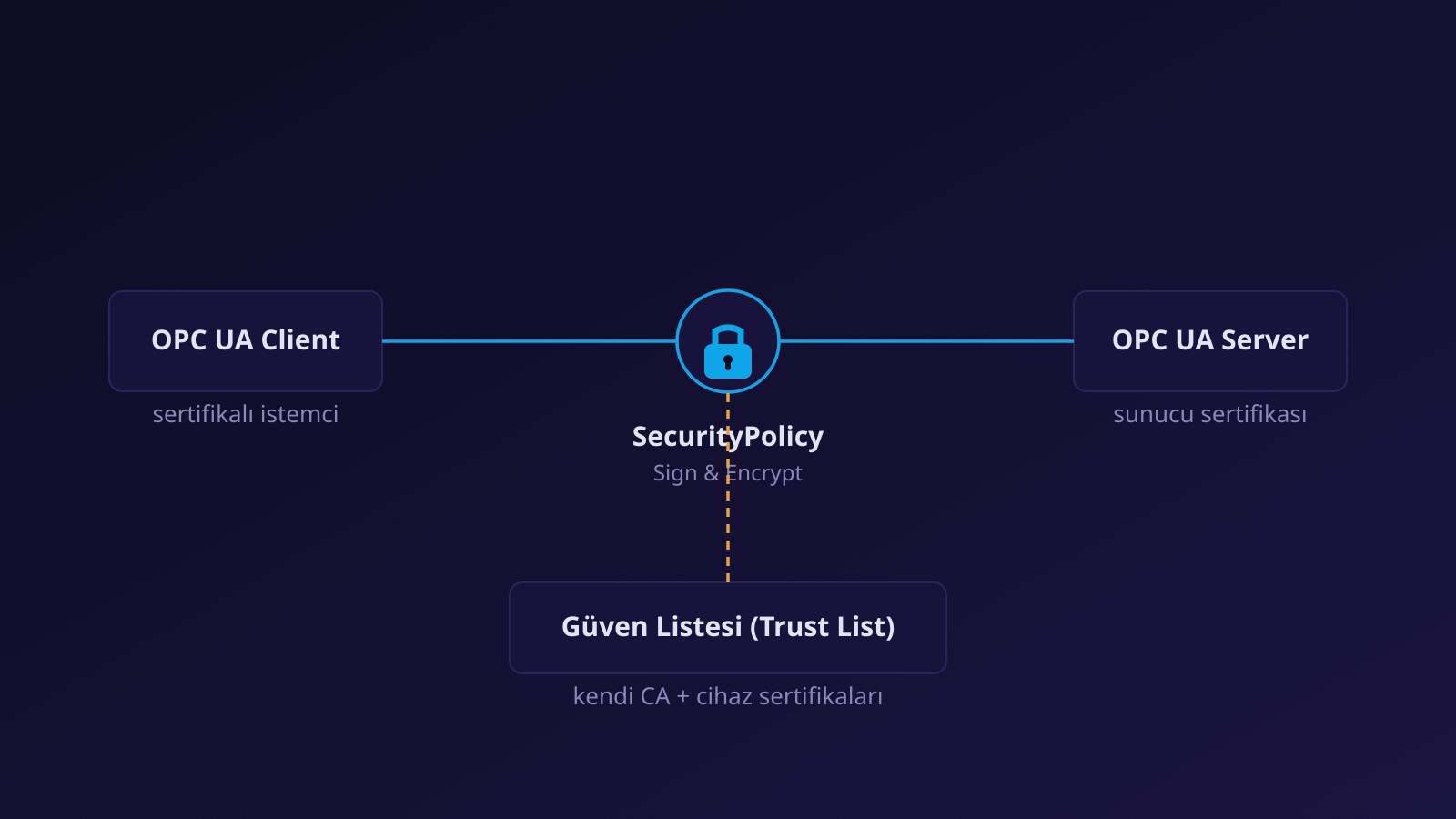
OPC UA security has been part of the architecture from the start. Every application has a certificate; on connection the two sides validate each other’s certificate and decide by their trust lists. The secure channel is established in None, Sign or Sign & Encrypt mode; production should prefer Sign & Encrypt. User authentication (anonymous, username/password or certificate) can also be applied. For certificate management details see OPC UA certificates: from installation to renewal.
4. Transport and model options
Client–server communication typically uses the binary opc.tcp protocol on default port 4840; HTTPS and WebSocket bindings also exist. For publishing to many consumers, the PubSub model and MQTT/AMQP transports are defined as well.
Key differences from OPC DA
| Topic | OPC DA (classic) | OPC UA |
|---|---|---|
| Platform | Windows (COM/DCOM) | Windows, Linux, embedded devices |
| Remote access | DCOM settings; complex and fragile | Single port, certificates; firewall-friendly |
| Security | Depends on operating-system permissions | Application certificates, signing, encryption, user authentication |
| Meaning of data | Flat tag list | Typed objects, units, relationships |
| Discovery | Server list and tag browsing | Discovery services and hierarchical browsing |
| Redundancy | Product-specific | Server redundancy modes defined in the specification |
| Lifecycle | Declining in new products | Actively developed standard |
Where to start in practice
- Clarify where the data comes from. If the device has a native OPC UA server you can connect directly. For most older PLCs and meters you need a gateway that uses vendor drivers and serves OPC UA; Kepware Server is a widely used platform for this (driver list).
- Decide the endpoint and security mode. None may be used for testing; in production, open a signed and encrypted endpoint together with user authentication.
- Verify with an OPC UA client. Browse the address space, read a tag, open a subscription and inspect quality and timestamp (OPC UA data quality and timestamps).
- Design naming from the start. Persistent, meaningful names that reflect the equipment hierarchy make later integrations easier.
- Write down certificate responsibilities. Who approves, who tracks expiry, when is renewal done?
If you plan to move off OPC DA, running both worlds side by side through a bridge for a while is the lowest-risk path. For the rest of the data flow see choosing the right data collection path. For terminology, browse the glossary.
Frequently asked questions
What does UA stand for?
UA stands for “Unified Architecture”. It unifies classic OPC’s separate interfaces (data, history, alarms) in one architecture.
Is OPC UA free?
The specifications are publicly available. Products may be licensed or free, depending on the vendor providing the software.
Does OPC UA replace MQTT?
No; they serve different needs and are often used together. See OPC UA or MQTT? for details.
Does OPC UA run only on Windows?
No. OPC UA is platform-independent; application stacks exist for Windows, Linux and embedded devices.